

Hello Friends!
We (my robots and I) built a page that started with one small idea: you type some words, press a button, and a voice reads them while a mouth moves to match. Then we went all out on the faces. There is a flat drawing and a 3D head, both moved by the same thirteen numbers, and you can change almost everything about them. It all happens in your browser, and what you type, record or upload stays on your device.
Why so much care for a face? We believe that anthropomorphized AI, properly applied and controlled, can help humans direct themselves where they want to go. A face and a voice can make a machine easier to talk to, and being able to see exactly how it moves, and to change it, keeps the person in charge. So the page puts the controls in your hands.
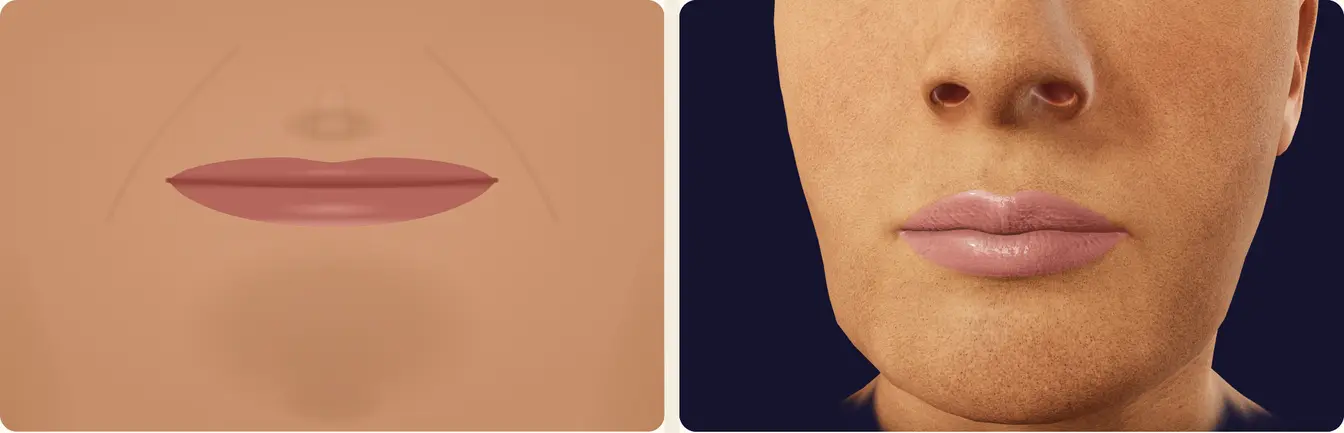
Try it at aiofourown.com/lipsync.
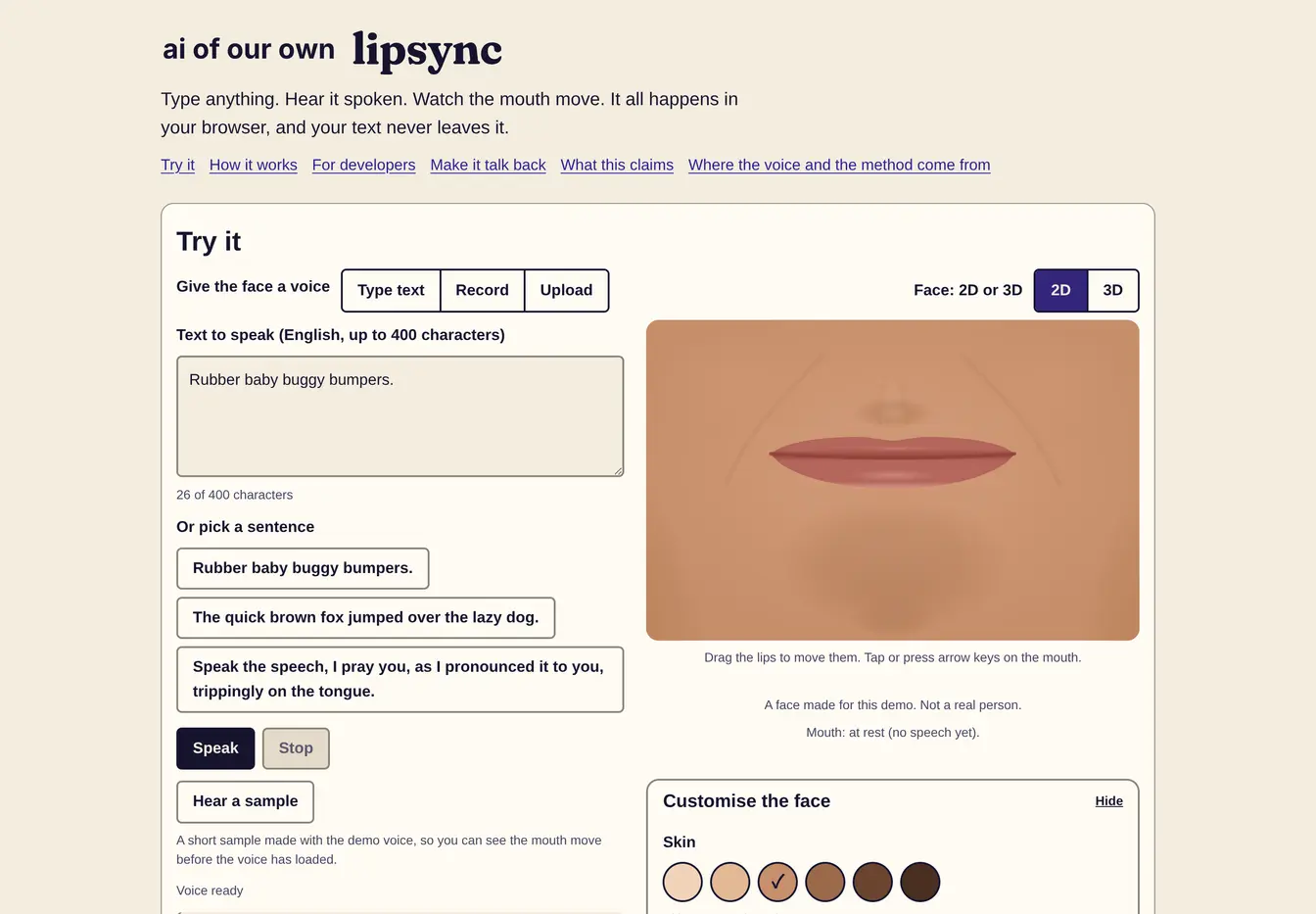
Watch it
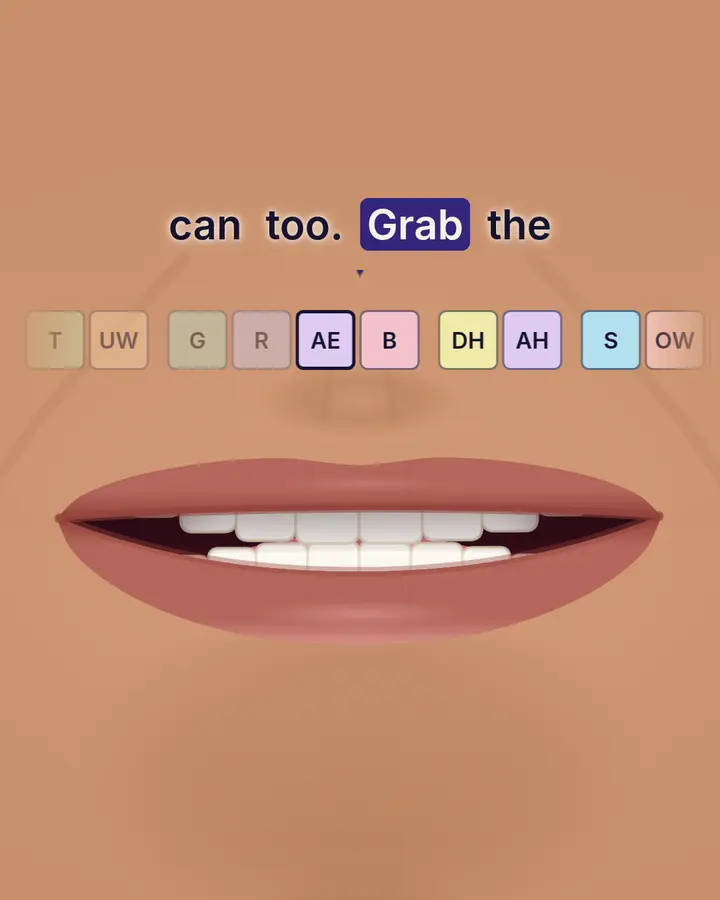
A 12-second video with sound: the flat face speaking, the sounds of each word scrolling underneath as coloured blocks.
What you can do
- Give the face a voice. Type a sentence or pick one, record your own voice (up to 30 seconds) or upload an audio file (up to 25 MB and 90 seconds). A voice reads typed text while the mouth moves.
- Choose the face. A flat drawing or a 3D head. Change the skin tone, the face shape, the stubble, the colour and finish of the lips, how thickly they are painted, and how naturally the colour varies.
- Control the movement. Set how much the mouth opens, how crisp the shapes are, whether the jaw and lips have weight, and how much the head moves.
- Move the lips yourself. Drag a lip or a corner of the mouth and it springs back; pull a corner up for a smile.
- Look inside. Scrub along the sound and see the mouth at any moment, and the numbers behind it.
- Take it with you. Download the face speaking as a video file, made in your browser, or take the timing as data.
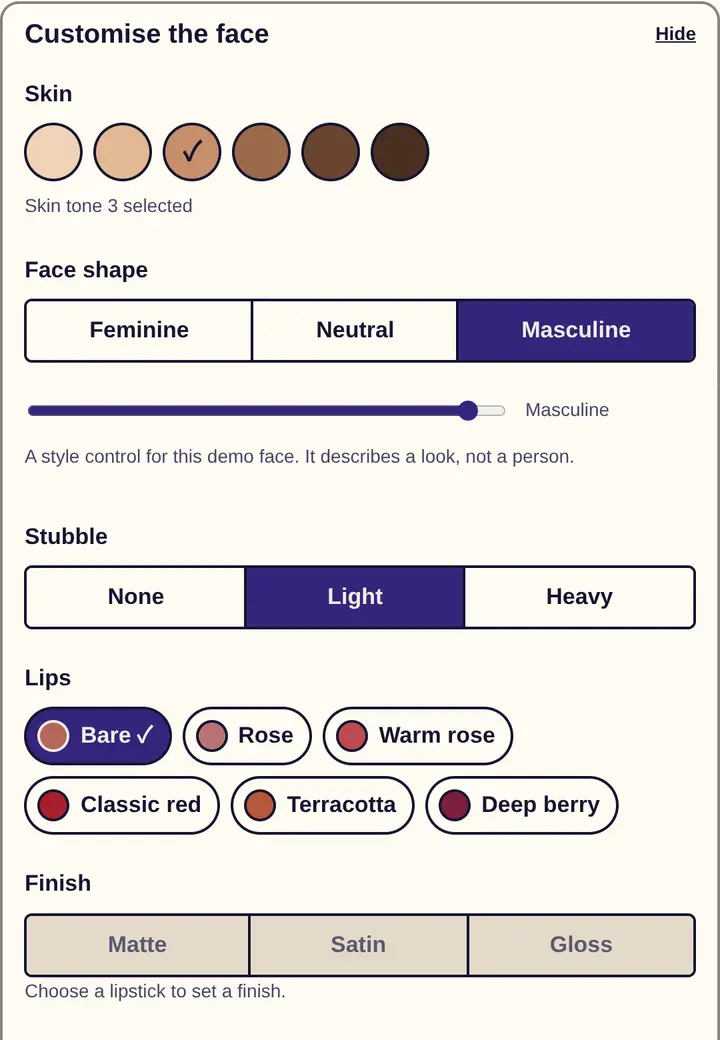
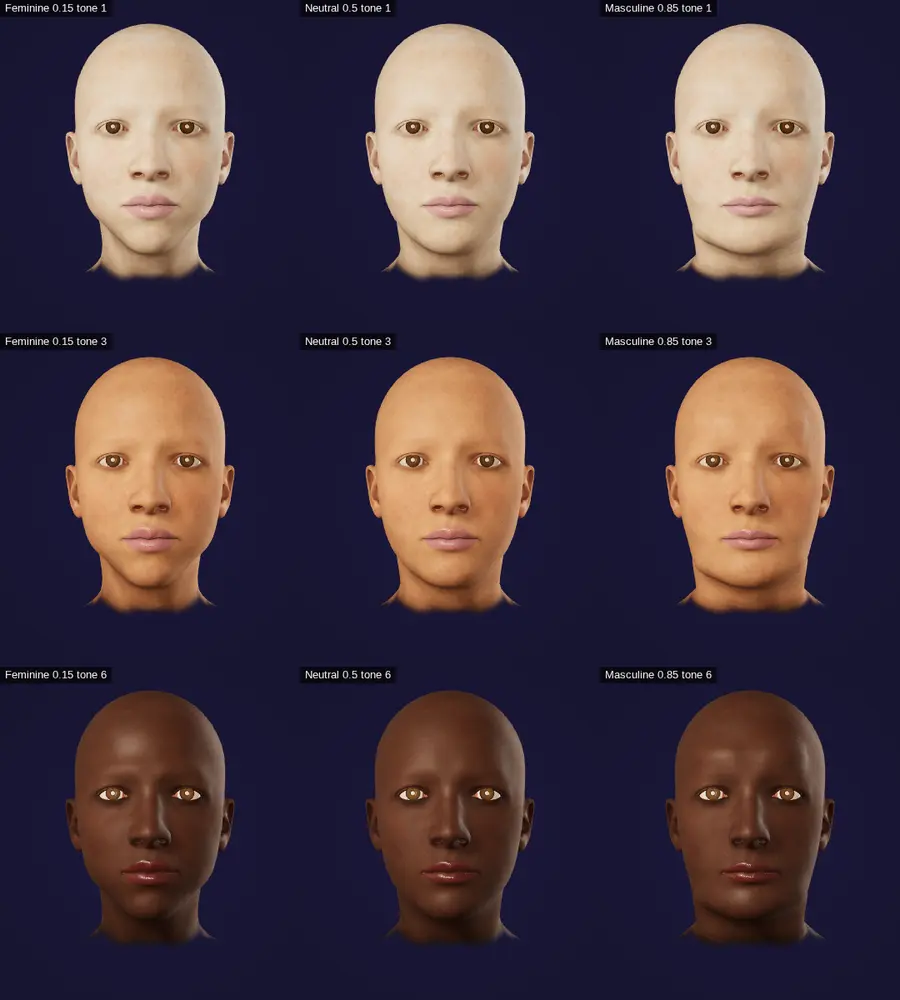
The face is made for this demo. It is not a real person.
What you are seeing
Four things happen, and the page shows each one for your own words:
- Words. What you typed, or what was said.
- Sounds. The words are turned into phonemes, the small units of sound in speech. "Buggy" becomes a handful of them.
- Timing. Each sound is placed against the audio, so the page knows when it is spoken.
- Mouth shapes. Each sound has a viseme, the shape a mouth makes for it. Lips close for P, B and M; the lower lip tucks under the top teeth for F and V; the lips round for the "oo" in "food". Neighbouring shapes blend, a little like real speech, which is called coarticulation.
The mouth is driven by thirteen numbers, each between 0 and 1: how open the jaw is, how closed or pressed the lips are, how rounded, how wide, and where the tongue sits. Every frame, the page works out those numbers from the timing and moves the face. The flat drawing and the 3D head are driven by the same thirteen numbers.
What it does not claim
It speaks English only. The timing is estimated from the loudness of the audio; it is not a precise forced alignment. If you record or upload and do not type what was said, the mouth follows the sound alone, and typing the words gives it closer timing. The voice for typed text is one synthetic voice: the page downloads about 26 MB for it when it opens, plus the code that runs it, and after that it uses what your browser kept.
Where the voice and the method come from
The voice is Kitten TTS, a model released under the Apache-2.0 licence that Private Local Chat offers as an optional on-device read-aloud voice. It runs here in your browser. Private Local Chat is a chat app that runs language models on your own device.
The way the mouth is moved is built on the same lip-sync approach as Sonalon.
Use it yourself
The library behind the page is called lipsync. You give it a string of sounds and the audio, and it gives you timed mouth shapes. It takes three calls, and the page shows them with the real values from your run. You can copy the library into your own project and pin its version. It is open source under the AGPL-3.0-only licence.
- The demo: https://aiofourown.com/lipsync/
- The source, a read-only mirror on the programme forge: https://forge.aiofourown.com/programme/lipsync
There is also a short section on how a language model could sit in front of it, so a character could talk back. The page ships no model and calls none; it only shows where you would put your own.
Why we build things this way
We want every human to be sovereign: each person in charge of their own technology, able to see how it works, run it on their own device, take it with them and walk away when they choose. This page is made that way. The method is open source, the voice runs in your browser, your text and your voice stay there, the faces are yours to change, and the code panel shows how to use it yourself.